Canva AI: Features, Capabilities, Benefits, and the Future of Design

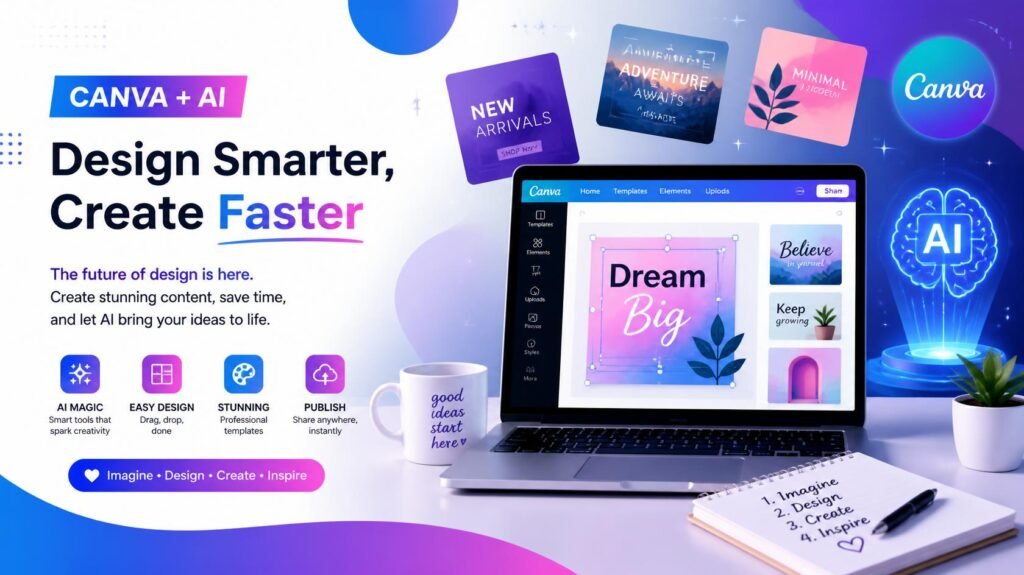
Quick Summary: Canva AI combines powerful artificial intelligence with Canva’s intuitve design platform. Whether you are a blogger, marketer, educator, or business owner, Canva AI streamlines visual content creation, writing, background editing, and multi-platform resizing in minutes.
📌 Table of Contents
- What Is Canva AI?
- Why Canva AI Matters in Modern Content Creation
- 12 Key Features of Canva AI
- How Canva AI Is Transforming Design
- Core Benefits of Using Canva AI
- Popular Use Cases Across Industries
- Canva AI vs. Traditional Design Workflows
- Best Practices for Maximizing Canva AI
- The Future of AI in Visual Design
- Frequently Asked Questions (FAQs)
- Conclusion
💡 What Is Canva AI?
Canva AI refers to the suite of artificial intelligence-powered tools integrated into Canva’s user-friendly design platform. It is built to simplify content creation by assisting with text generation, image creation, layout suggestion, branding, video editing, and document processing.
Canva has long been known for making design accessible to non-designers. Canva AI accelerates that mission by drastically reducing the time, effort, and technical skill needed to produce high-impact visuals.
⚡ Key Takeaway: With Canva AI, design moves beyond manual template tweaking to an intelligent workflow where ideas turn into polished visual assets rapidly.
🚀 Why Canva AI Matters
Today’s digital ecosystem demands speed, consistency, and visual appeal. Creators and brands must consistently publish across multiple channels—websites, social media, email newsletters, presentations, and ads.
Traditional design workflows can be bottlenecked by manual tasks like copying text, finding fitting stock photos, removing backgrounds, and adjusting dimensions. Canva AI eliminates these friction points by:
- 🟢 Democratizing Design: Making professional visual output accessible to everyone.
- ⚡ Boosting Output: Enabling creators to produce more high-quality assets in less time.
- 🎨 Unlocking Creativity: Removing repetitive manual tasks so you can focus on strategy and storytelling.
🛠️ 12 Key Features of Canva AI
1. Magic Design
Generates tailored layouts based on a simple prompt, uploaded media, or specified format (e.g., social post, poster, slide deck).
- Best for: Overcoming blank-canvas paralysis and creating quick mockups.
2. Magic Write
An AI copywriting assistant that crafts blog outlines, social captions, email drafts, product descriptions, and summaries directly inside Canva.
- Best for: Speeding up copywriting alongside design creation.
3. Text to Image
Transforms text descriptions into unique visual concepts, artwork, or digital illustrations.
Recommended Hosting: If you're looking for an affordable, super-fast host with outstanding uptime and 24/7 support, we recommend Hostinger.
- Best for: Creating custom imagery when standard stock photos fall short.
4. Magic Edit
Replaces or modifies specific objects/elements within an image using simple natural language prompts.
- Best for: Swapping out elements (e.g., changing a plain mug to a branded cup).
5. Magic Eraser
Quickly wipes away unwanted objects, background clutter, or visual distractions from photos.
- Best for: Cleaning up product shots and lifestyle imagery.
6. Background Remover
Instantly removes image backgrounds with a single click while maintaining crisp subject edges.
- Best for: E-commerce photos, profile pictures, thumbnails, and transparent overlays.
7. Magic Switch
Converts design formats seamlessly (e.g., turning a presentation into a blog report or an Instagram post into a Facebook banner).
- Best for: Cross-platform content repurposing and multi-language translation.
8. AI Presentation Tools
Builds structured slide decks from topics, outlines, or raw text inputs.
- Best for: Pitch decks, educational presentations, and business proposals.
9. AI Video Tools
Automates video editing with text-based ideas, automatic captions, background removal for video, and smart trimming.
- Best for: Creating short-form videos like Reels, TikToks, and Shorts.
10. AI Brand Kit Integration
Automatically enforces brand colors, typography, logos, and voice guidelines across all AI-generated assets.
- Best for: Teams and businesses maintaining strict brand identity.
11. Canva Docs with AI
Combines rich-text document creation with visual design, embedding charts, graphics, and interactive elements.
- Best for: Interactive reports, project briefs, and strategy plans.
12. AI Image Enhancement
Intelligently enhances lighting, sharpness, contrast, and balance for cleaner, punchier graphics.
- Best for: Polishing low-light or unedited photography.
🔄 How Canva AI Is Transforming Design
- Accessibility for Non-Designers: Enables small business owners, teachers, students, and marketers to produce studio-grade visuals without formal design training.
- Faster Campaign Execution: Reduces multi-step marketing workflows into single-platform tasks.
- Multi-Format Repurposing: Allows one core concept to be adapted for Pinterest, LinkedIn, YouTube, and email campaigns effortlessly.
- Enhanced Team Collaboration: Simplifies feedback loops and reduces production bottlenecks across non-design team members.
🌟 Core Benefits of Using Canva AI
- ⏱️ Time Efficiency: Reduces hours of manual photo editing and layout drafting into minutes.
- 💰 Cost Savings: Lowers reliance on multiple standalone software subscriptions.
- 🎯 Consistent Quality: Maintains visual balance, typography rules, and brand guidelines automatically.
- 📈 Scalability: Enables high-volume content creation without sacrificing quality.
🎯 Popular Use Cases Across Roles
| User Role | Common Applications |
| Bloggers & SEOs | Featured images, infographics, Pinterest pins, and visual content summaries. |
| Social Media Managers | Instagram carousels, YouTube thumbnails, TikTok covers, and caption drafting. |
| Small Businesses | Promotional flyers, ad creatives, business proposals, and brand collateral. |
| Educators & Students | Interactive slide decks, study guides, classroom infographics, and visual reports. |
| Content Creators | Channel banners, sponsor media kits, short video reels, and merch designs. |
📊 Canva AI vs. Traditional Design Workflows
| Task / Feature | Traditional Workflow | Canva AI Workflow |
| Layout Creation | Manual template search or blank canvas | AI-generated Magic Design layouts |
| Copywriting | External writing tools / manual copy | Magic Write directly inside the canvas |
| Image Creation | Stock photo search or custom photography | Instant Text-to-Image prompt generation |
| Photo Editing | Complex layers in heavy editing software | One-click Magic Edit, Eraser & Background Remover |
| Format Resizing | Re-creating canvas sizes manually | Instant multi-format conversion via Magic Switch |
| Brand Control | Manual font/color checking | Automated Brand Kit application |
💡 Best Practices for Maximizing Canva AI
- Write Descriptive Prompts: Be specific about style, lighting, mood, and objects when using Text-to-Image or Magic Design.
- Customize Output: Treat AI output as a strong draft—fine-tune fonts, spacing, and colors to make it unique.
- Set Up Your Brand Kit: Input your official logos, color hex codes, and brand fonts first for accurate AI auto-styling.
- Repurpose Proactively: Turn high-performing blog graphics into slide decks or social posts using Magic Switch.
- Review and Fact-Check: Always proofread AI-generated text for brand tone and factual accuracy before publishing.
🔮 The Future of AI in Visual Design
The landscape of visual communication is moving from manual execution to concept-driven creation. AI handles repetitive layout and formatting tasks, allowing creators to focus on strategy, messaging, and emotional connection.
Canva AI exemplifies this hybrid future—where human creativity directs powerful AI automation to produce impactful content faster than ever before.
❓ Frequently Asked Questions (FAQs)
Q1: Is Canva AI free to use?
Answer: Canva offers several AI features in its free plan with daily usage limits. However, premium tools like Magic Switch, Background Remover, and higher generation limits are unlocked with Canva Pro or Canva for Teams.
Q2: Can Canva AI replace professional graphic designers?
Answer: Canva AI is designed to assist and speed up creation, not replace strategy or artistic vision. It helps non-designers build great content while enabling professional designers to automate repetitive tasks.
Q3: Is text generated by Magic Write unique and safe for SEO?
Answer: Yes, Magic Write generates original drafts. However, for SEO best practices, it is always recommended to edit, personalize, and add human insight to AI-generated text.
Read Also: Beyond Traditional Search: Master Generative Engine Optimization (GEO) in 2026
🎯 Conclusion
Canva AI represents a major leap forward in content creation. By seamlessly merging artificial intelligence with an intuitive canvas, it empowers creators, marketers, educators, and businesses to produce professional visuals in record time.
Whether you’re looking to clean up photos, generate social graphics, write copy, or create comprehensive slide decks, Canva AI offers a complete toolkit to bring your creative ideas to life.
💬 What’s Your Favorite Canva AI Feature?
Have you tried Magic Design or Text to Image yet? Share your thoughts and favorite tools in the comments below! Don’t forget to share this guide with fellow creators!




Rickyh Style School Backpack Travel Bag for Men & Women Lightweight College